The Best Dictation Software for Windows in 2026
Windows dictation options compared, from the free Win+H tool to Dragon at $699.99 - including which ones actually run offline on a PC.
Written by Dictation Database Team
Windows is the harder platform for dictation, and it's worth understanding why before you shop. Apple Silicon gave Mac apps a fast, standardised neural accelerator to run speech models on; Windows hardware is far more varied, so most Windows dictation vendors default to the cloud. The local-first options that dominate the Mac list either don't exist here or run more slowly.
Short answer: try the built-in Win+H voice typing first - it's free but cloud-based. For a proper app, Wispr Flow at $12 a user per month is the most polished, superwhisper is the best offline option, and Dragon Professional is still the accuracy benchmark if you can justify $699.99 on a product line being wound down.
The short list
| Tool | Price | Offline | Best for |
|---|---|---|---|
| Windows Voice Typing | Free, built in | Weak fallback only | Trying before you buy |
| Wispr Flow | Free tier; $12/user/mo annual | No | Most polished |
| superwhisper | Free; $84.99/yr or $249.99 once | Yes | Best offline |
| Handy | Free (MIT) | Yes | Free and offline |
| Dragon Professional | $699.99 one-time | Yes | Specialist vocabulary |
| Aqua Voice | Free; $8/mo annual | No | Lowest latency |
| Voibe | $59/yr or $149 lifetime | Zero-retention cloud on Windows | Developer mode |
| Voice In | Free tier; $60/yr | In-browser | Dictating into websites |
| Braina | Free Lite; ~$59–79/yr | Partially | Voice assistant features |
Start with Win+H, but know what it is
Press Win+H on Windows 10 or 11 and you get voice typing. It's free, it works in any text field, and for casual use it's fine - roughly 85–90% accurate on conversational English with Enhanced Speech Recognition installed.
Two things to understand. First, it's cloud-based: your audio goes to Microsoft's Azure services. When you're offline it falls back to a weaker local model automatically, at noticeably reduced accuracy. Second, there is no custom vocabulary. Names, jargon, and product terms will be wrong every single time, and there's nothing you can do about it.
That second limitation is what pushes most heavy users to a paid app.
Don't look for Windows Speech Recognition
If you remember the old Windows Speech Recognition - the one with the training wizard and the full desktop voice control - it's gone. Microsoft deprecated it in December 2023 and removed or hid it on Windows 11 22H2 and later. There is no supported way to restore it on current builds.
Its replacement for device control is Voice Access, and its replacement for dictation is Win+H. If you land on a tutorial telling you to run WSR from the Start menu, that tutorial predates the removal.
Most polished: Wispr Flow
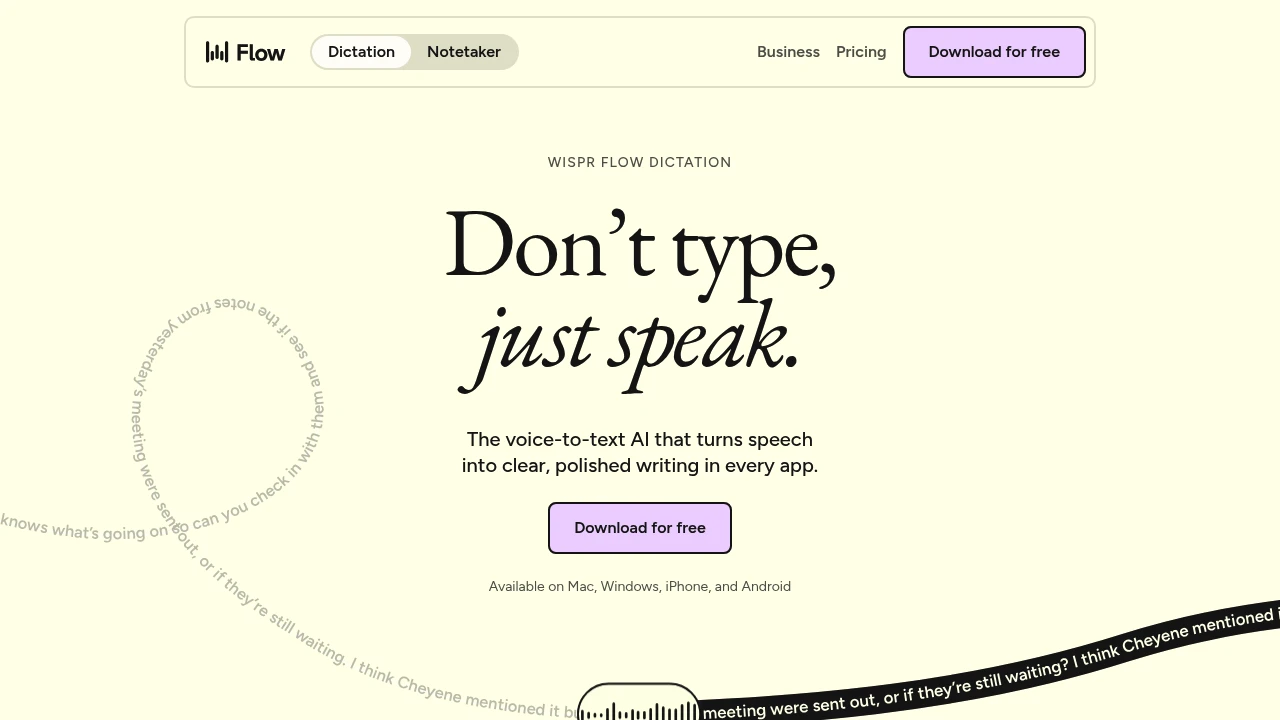
Wispr Flow is the best-finished dictation app available on Windows. It removes filler words as you speak, adapts tone to the app you're in, learns your vocabulary, and covers iOS and Android too if you dictate on a phone as well.
Free gives 2,000 words a week. Pro is $12 per user per month annually, $15 monthly.
Two Windows-specific caveats. The Windows build attracts most of the reliability complaints in the product's reviews - this is a Mac-first company. And sustained CPU and memory use is a recurring theme, which matters more on a thin laptop than a desktop.
Best offline: superwhisper
superwhisper supports Windows 10 and 11 and runs Whisper models locally, so nothing leaves the machine. Free covers unlimited dictation on the small models; Pro is $8.49 a month, $84.99 a year, or $249.99 lifetime.
On Windows, expect it to be slower than the same app on an M-series Mac unless you have a reasonable GPU. Model choice matters more here than it does on Apple hardware - see Whisper models explained for picking one that matches your machine.
The free cross-platform alternative is Handy, which is MIT-licensed, runs Whisper Small through Large with GPU acceleration plus Parakeet V3, and costs nothing. If you have an NVIDIA card, Handy will use it.
The Dragon question
Dragon Professional v16 costs about $699.99 one-time, runs locally on Windows, and with a trained profile and a specialist vocabulary it is still the most accurate dictation on this list for domain-heavy work - medicine, law, engineering. Nothing else lets you correct a term once and have it stick permanently across everything you dictate.
The problem is the direction of travel. Dragon for Mac was discontinued in 2018, Dragon Home in 2023, and Dragon Anywhere mobile in July 2026. What remains active is Dragon Professional v16, Dragon Professional Anywhere, Dragon Legal, and Dragon Medical One - where Nuance's attention has clearly gone.
Buy it if you need trainable specialist vocabulary and full voice control of the desktop today, and you're comfortable that you're buying into a shrinking product line. Otherwise see Dragon alternatives.
If you mostly dictate into websites
Voice In is a Chrome and Edge extension with over 600,000 users, supporting more than 10,000 sites. Free covers dictation in 50+ languages with punctuation commands; Voice In Plus is $60 a year and adds Advanced Mode for another 1,000-plus sites.
The vendor states that transcription happens in the browser and that no audio or transcript reaches their servers, which is an unusual claim in this category and worth verifying against your own policy if it matters.
For dictating into Google Docs specifically, Google Docs Voice Typing is free and unlimited, but only inside Docs, only in Chrome or Edge.
What we'd skip on Windows
Speechify - a text-to-speech product with dictation bolted on, gated behind $29-a-month Premium.
Any tool whose Windows build is an afterthought. Several apps in the directory list Windows support but ship most of their features on macOS first. Check the platform tags on the tool page before you subscribe.
Frequently asked questions
Does Windows have built-in dictation software?
Yes - press Win+H for voice typing, which works in any text field on Windows 10 and 11. It's free but processes audio in the cloud and has no custom vocabulary.
Does Windows dictation work offline?
Barely. Win+H falls back to a weaker local model with no connection. For genuine offline dictation on Windows you need a third-party app that runs models locally: superwhisper, Handy, Buzz, or Dragon Professional. See the works offline collection.
Is Dragon NaturallySpeaking still available?
Dragon Professional v16 is still sold for Windows at around $699.99. The consumer versions - Dragon Home and Dragon for Mac - are discontinued, and Dragon Anywhere mobile shut down in July 2026.
What replaced Windows Speech Recognition?
Voice Access for device control, and Win+H voice typing for dictation. Windows Speech Recognition was deprecated in December 2023 and is not available on current Windows 11 builds.
What is the best free dictation software for Windows?
Win+H if you're fine with cloud processing, or Handy if you want free, offline, and MIT-licensed. Whispering and OpenWhispr are also free and run locally.
Last verified: 10 August 2026.